
Hello Brydo
First off Gmail is a great email client. My personal opinion. If you have sent something to spam that you really did not want to do, then it really is easy to un-spam it.
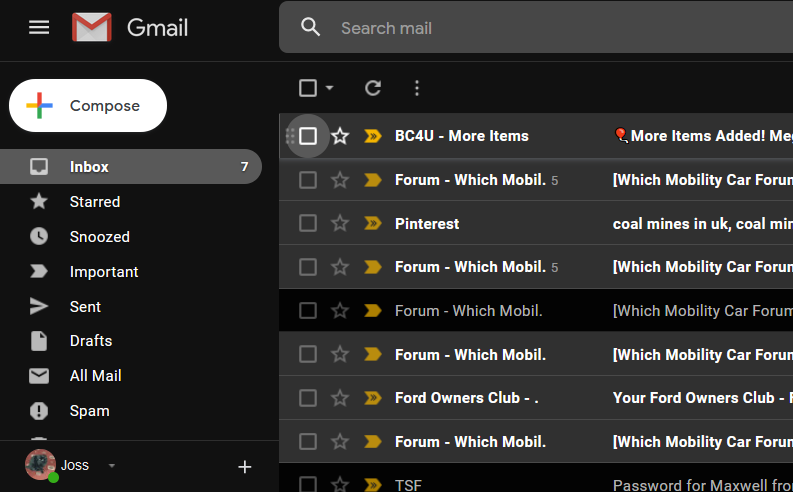
Look to the left hand pane and select the SPAM folder seen here in this screen shot. Left click on the SPAM folder, this where it sends messages marked as spam to. Look for the email you marked as SPAM and right click on the email to open options. One will be to un mark as spam or something like that. once unmarked it should reappear in your inbox. Please note spam will be auto deleted after 7 days.
Regarding MS Edge. There are a few ways to stop this.
The easiest way is to simply
just change your default browser, it may remedy Edge popping up on you.
Let’s try this:
Click start – settings – apps – default apps.
Change the default browser from Edge to something else (IE, Chrome, etc) once changed, test to see if Edge still opens up. Let me know how you get on with that. You can delete the edge icon from your desktop if you wish.
Joss
Current car: BMW X2 sDrive 20i M Sport 5dr Step Auto In metallic Portimão Blue. 04:10:2025
Previous car:Peugeot 308 GT Premium 1.2 Pure tech Petrol.